Cloudflare Local Helpers
Open-source dashboard for managing Cloudflare Workers local resources including KV, D1, R2, and environment bindings during development.
About
A dashboard for managing Cloudflare Workers resources during local development. When you build with Workers, you often need to inspect and manage local KV stores, D1 databases, and R2 buckets. This tool gives you a clean UI for that.
Why I built it
Cloudflare’s local development story is excellent, but local state becomes hard to inspect once a project uses several bindings. I built this tool to work like a small admin console for debugging: quick to open and easy to scan.
Core features
- Browse and manage local KV namespaces
- Query and inspect D1 (SQLite) databases
- Manage R2 bucket objects
- Works with Wrangler’s local development environment
Dashboard areas
1. KV Editor
- View all KV namespaces
- List, search, and filter keys
- Create, edit, and delete key-value pairs
- View key expiration and metadata

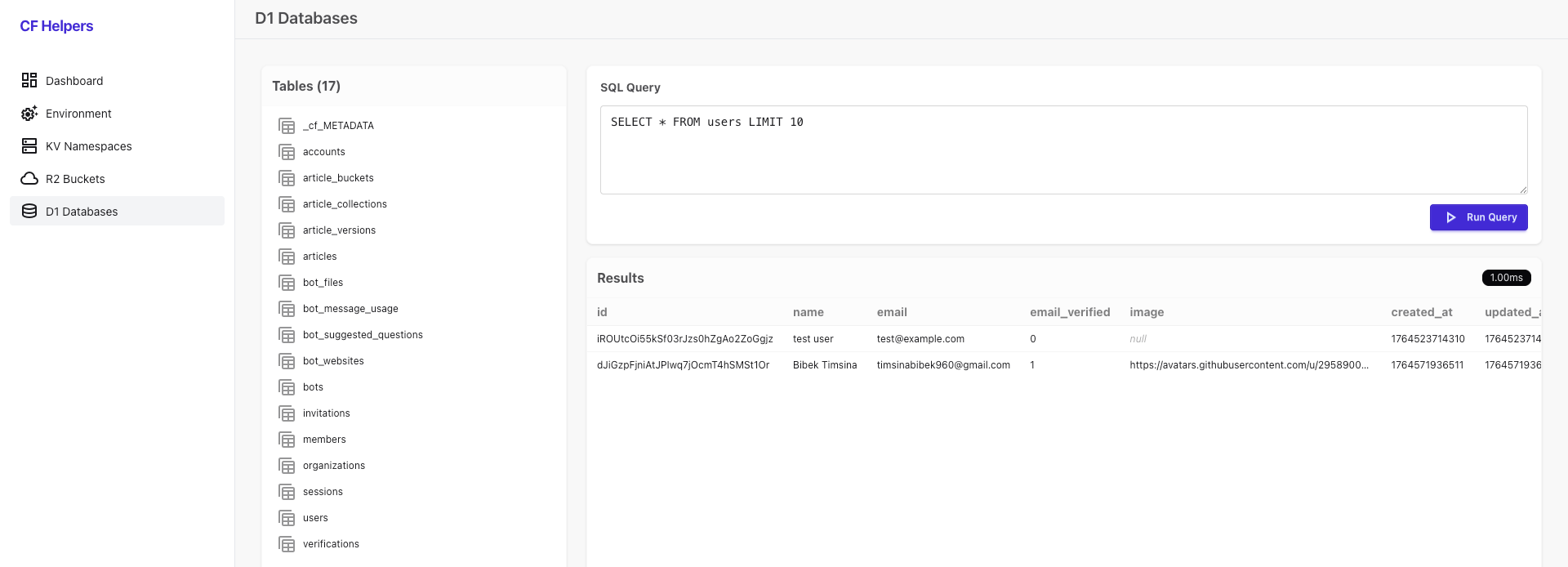
2. D1 Explorer
- View all D1 databases
- Browse tables and schema
- Run custom SQL queries with a built-in editor
- View query results in a table format with execution time
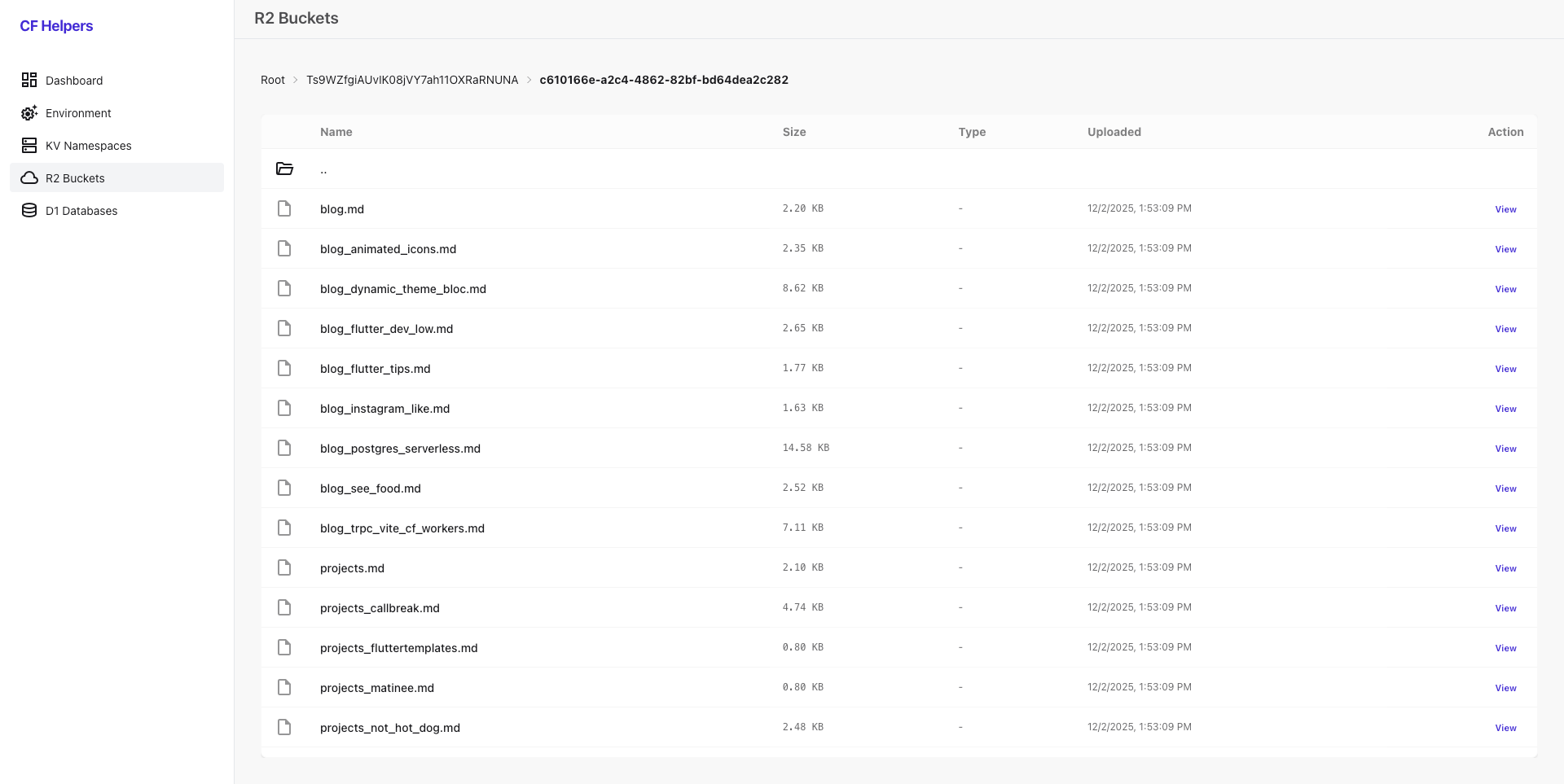
3. R2 Browser
- Navigate R2 buckets and folders (with breadcrumbs)
- View object metadata (size, type, uploaded date)
- Preview images directly in the dashboard
- Download files
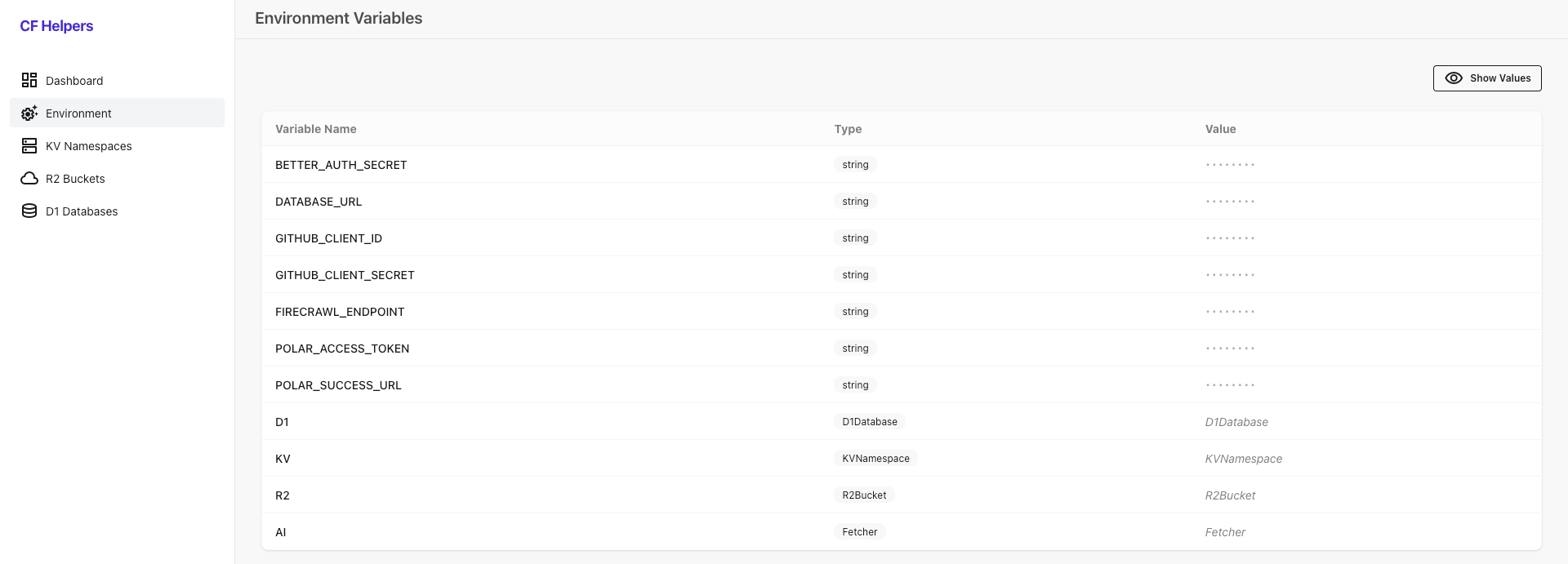
4. Environment Variables Viewer
- Inspect all environment variables and bindings bound to your worker
Tech stack
- Hono (hono.dev)
- HTMX (htmx.org)
- TailwindCSS (tailwindcss.com)
- DaisyUI (daisyui.com)
- AlpineJS (alpinejs.dev)
Reflection
This project came from one need: making local Workers state easier to inspect while building.
How to use
1. Installation
Add the package as a development dependency:
npm
npm install cf-local-helpers --save-devyarn
yarn add cf-local-helpers --devpnpm
pnpm add cf-local-helpers --save-devbun
bun add cf-local-helpers --save-dev2. Quick start
To see the dashboard in action with sample data:
# Clone the repositorygit clone https://github.com/bimsina/cf-local-helpers.gitcd cf-local-helpers
# Install dependenciespnpm install
# Build packagepnpm build
# Run the example projectpnpm dev
This starts the development server with sample D1 databases, KV namespaces, and R2 buckets pre-configured. Open http://localhost:8787/dashboard to use the dashboard.
3. Usage examples
Pure Cloudflare Worker
export default {  async fetch(request, env, ctx) {    const url = new URL(request.url);
    if (url.pathname.startsWith("/dashboard")) {      const { default: createHandler } = await import("cf-local-helpers");      const dashboard = createHandler({ basePath: "/dashboard" });      return dashboard.fetch(request, env, ctx);    }
    return new Response("Hello World!");  },} satisfies ExportedHandler<Env>;
Hono
import { Hono } from "hono";
const app = new Hono();
app.all("/dashboard/*", async (c) => {  const { default: createHandler } = await import("cf-local-helpers");  const dashboard = createHandler({ basePath: "/dashboard" });  return dashboard.fetch(c.req.raw, c.env, c.executionCtx);});
export default app;
TanStack Start
import { createFileRoute } from "@tanstack/react-router";
export const Route = createFileRoute("/api/dashboard/$")({  server: {    handlers: {      GET: async ({ request }: { request: Request }) => {        const { default: createHandler } = await import("cf-local-helpers");        const dashboard = createHandler({ basePath: "/api/dashboard" });        return dashboard.fetch(request, env);      },      POST: async ({ request }: { request: Request }) => {        const { default: createHandler } = await import("cf-local-helpers");        const dashboard = createHandler({ basePath: "/api/dashboard" });        return dashboard.fetch(request, env);      },    },  },});
Itty Router
router.all("/dashboard/*", async (request, env, ctx) => { const { default: createHandler } = await import("cf-local-helpers"); const dashboard = createHandler({ basePath: "/dashboard" }); return dashboard.fetch(request, env, ctx);});